View the audit trail
Every create / update / delete on an object writes an entry into the audit trail — who did it, when, what changed. The trail is append-only and visible to anyone with read rights on the object.
Goal
By the end you will have opened the audit trail on a specific object, read one update entry, and looked at the global Audit Trails view for instance-wide visibility.
Prerequisites
- An object you can read — and ideally one that has been edited at least once so the trail has more than the initial
createentry. Update an object first if you don't have one (open the detail page, change a value, save).
Steps
-
Open an object's detail page (Registers → click your register → Objects tab → click a row). Switch to the Audit Trails tab in the sidebar. The trail lists every operation on this object, newest first.
-
Each entry shows the operation (
create/update/delete), the user who triggered it, the timestamp, and a diff of the changed properties. Click a row to expand the full before / after JSON.
-
Update the object — change one property and save. A new
updateentry lands at the top of the trail within a second.
-
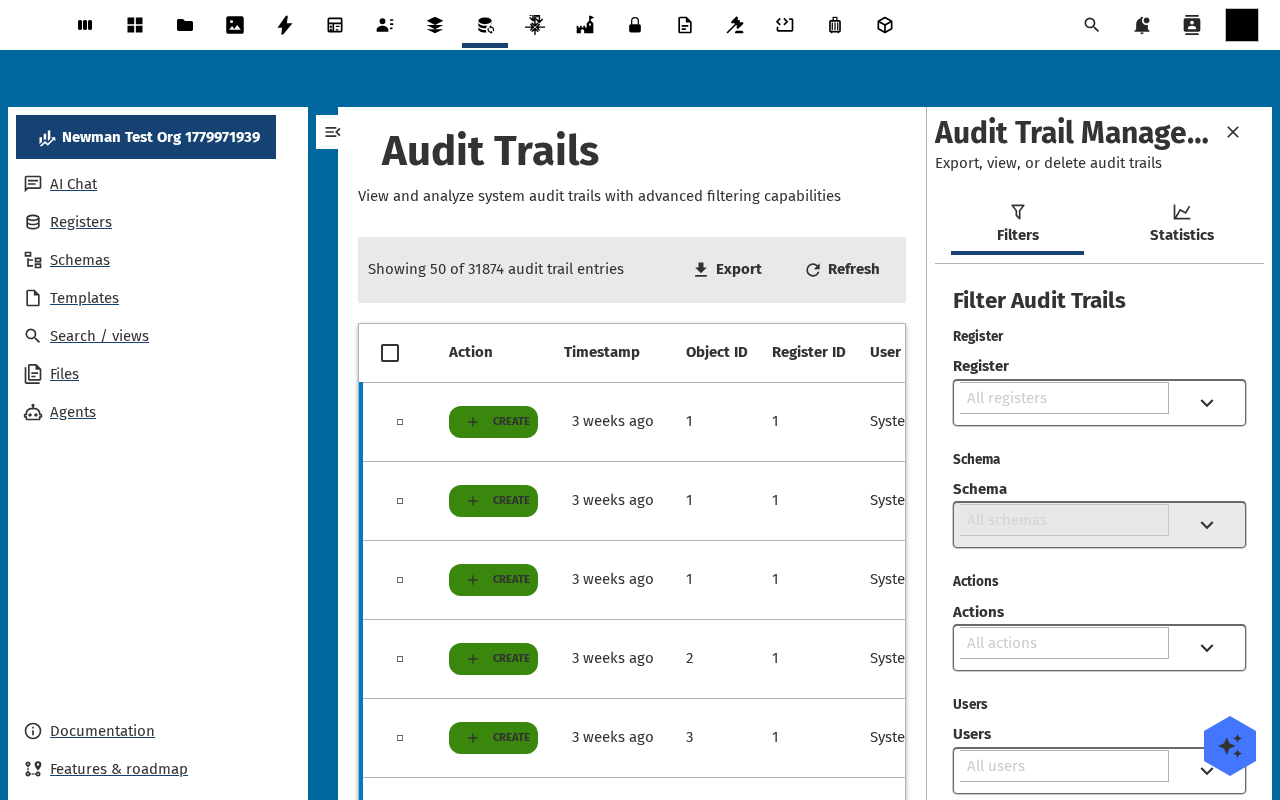
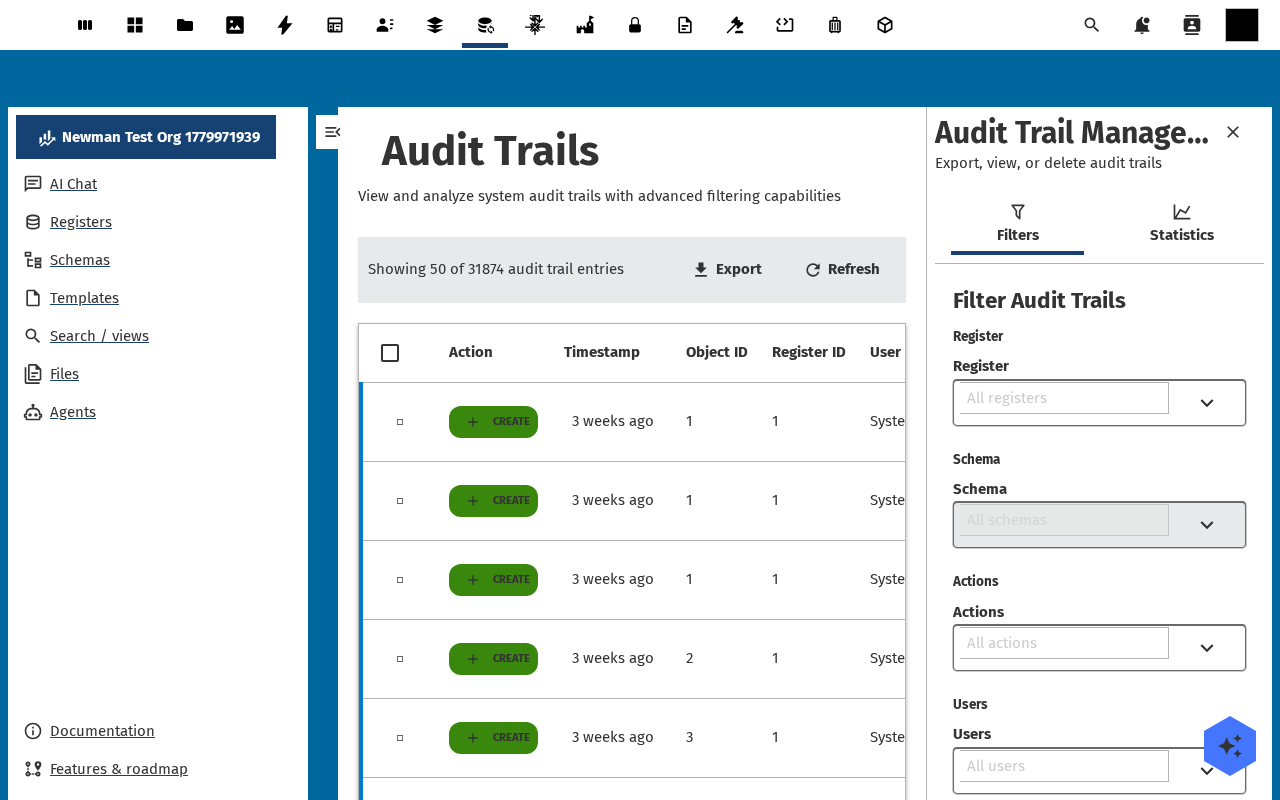
Open Audit Trails in the left navigation for the instance-wide view. The same diff display, but across every register, schema, and object you can read — filter by operation, user, date range, register or schema on the right.
-
Click the Export action on the toolbar to download the filtered trail as JSON or CSV — useful for compliance reviews and incident investigations.
Verification
The object's Audit Trails tab lists at least one create entry and one entry per edit, the global Audit Trails view shows the same entries (and everyone else's), and the export download produces a JSON / CSV file with the same rows.
Common issues
| Symptom | Fix |
|---|---|
| Tab is empty for a brand-new object | Audit indexing runs asynchronously — wait a few seconds and refresh. Persistent emptiness means the audit hook is disabled, ask an admin. |
| Diff says "no changes" for an update you definitely made | Open Register does shallow diffing on JSON-serialised properties — a save with identical values writes a row but the diff is empty. |
| Export contains entries you don't recognise | The global view includes every audit row you can read — narrow the filter to your register, schema, or user. |
Reference
- Versioning and audit feature reference — retention rules, schema migrations, soft-delete behaviour.
- Attach files to an object — files have their own audit thread.