xWiki integration
xwikiLink xWiki pages to Open Register objects. The Articles tab surfaces linked pages with their breadcrumb; the detail-page widget shows a text preview of the first linked page.
Pair a Conduction app with an xWiki instance and your users get articles, knowledge-base entries, and runbooks delivered inside the object sidebar. The integration runs through OpenConnector so credentials live in one place. One source can feed multiple apps.
Screenshot
The integration registers in OpenRegister's in-page registry and renders as one of the tabs on the standalone integrations view. The tab is highlighted active here so you can see exactly which surface this leaf controls.
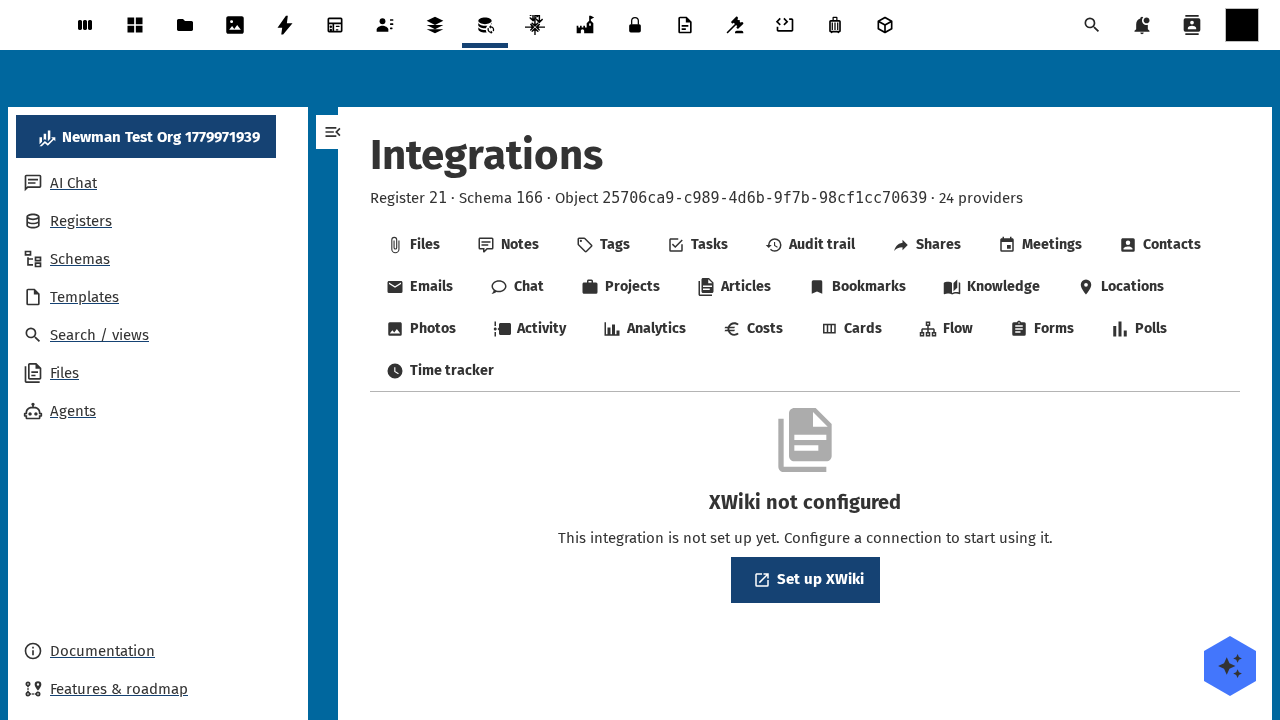
Captured by tests/e2e/leaf-screenshots.spec.ts against the seeded integration-verification register on the dev container. Empty state (Nothing linked yet) is expected on a freshly seeded object — link an upstream entity from the tab's + Add affordance to populate it.
What it does
- Lists xWiki pages linked to each Open Register object on the Articles sidebar tab.
- Renders a short text preview of the first linked page on the detail-page widget. Macros are not executed.
- Resolves a
referenceType: 'xwiki'schema property to a single-entity chip inCnFormDialogandCnDetailGrid. - Surfaces auth and reachability status on Administration → Open Register → Integrations.
- Degrades gracefully: a missing source or an unreachable wiki yields a 503 with a clear cause, never a broken tab.
Setup
1. Install OpenConnector
Install the openconnector Nextcloud app. The Articles integration is hidden until OpenConnector is installed and enabled. The admin row appears once both are present.
2. Create the xwiki source
Open OpenConnector → Sources → New source. Import the template at xwiki-openconnector-source.yaml. Set:
- location — your xWiki REST base URL, for example
https://wiki.example.org/rest/wikis/xwiki - auth — HTTP Basic (works on every xWiki version) or OAuth2 (needs
xwiki-platform-oidc, xWiki 14+)
Keep exactly one auth block. Save, then click Test connection.
3. Verify in Open Register
Go to Administration → Open Register → Integrations. The xwiki row should report:
- Storage:
external - Required app:
openconnector - Auth status:
configured - Health:
ok
The Configure link deep-links into OpenConnector's source page. Test connection probes the source live.
4. Use it on an object
Open any object whose schema declares linkedTypes: ['xwiki']. The Articles tab appears in the sidebar. Paste an xWiki URL (parsed to a canonical Space.Page reference) or type the path directly. Unlink removes the pairing only. It never deletes the page in xWiki.
Local verification setup
The repo ships a docker-compose template that boots a real xWiki instance for the leaf-verification harness. Run from the openregister checkout:
docker compose -f docker-compose.integration-verification.yml up -d verification-xwiki-db verification-xwiki
The compose file pre-grants the MariaDB PROCESS privilege via data/xwiki-mariadb-init/grant-process.sql. Without it XWiki's first-boot data migration throws Access denied; you need (at least one of) the PROCESS privilege(s) halfway through, corrupts the schema, and leaves the install unrecoverable.
First boot needs the distribution wizard (admin user + flavor + extensions report). Either complete it in a browser at http://localhost:8081 or drive it with Playwright — tests/e2e/integration-registry.spec.ts has the click-through pattern. For a smoke install, the Let the wiki be empty flavor is enough: the REST API ships in the core, no flavor extension required.
Once the wizard is done, create the OpenConnector source with the admin credentials you just set up. Note that the docker image deploys XWiki at the Tomcat ROOT context, so the REST root is /rest, not /xwiki/rest:
curl -u admin:admin -H 'OCS-APIRequest: true' -X POST \
  http://localhost:8080/index.php/apps/openconnector/api/sources \
  -H 'Content-Type: application/json' \
  -d '{
    "name": "XWiki",
    "slug": "xwiki",
    "reference": "xwiki",
    "location": "http://verification-xwiki:8080/rest/wikis/xwiki",
    "isEnabled": true,
    "type": "api",
    "auth": "basic",
    "username": "admin",
    "password": "<your-password>",
    "headers": {"Accept": "application/json"}
  }'
Probe the leaf to confirm the full chain works:
curl -u admin:admin -H 'OCS-APIRequest: true' \
  "http://localhost:8080/index.php/apps/openregister/api/objects/{register}/{schema}/{object}/integrations/xwiki"
# → 200 {"items": []}
Without the source row the same call returns 503 with a OpenConnector source "xwiki" for integration "xwiki" is missing or unreadable body — that's the documented degraded-source contract from AD-19.
Configuration
| Field | Open Register side | xWiki side |
|---|---|---|
| Source slug | xwiki | — |
| Storage | external (no link table) | — |
| Mapping | xWiki page reference, breadcrumb, URL, content | REST /rest/wikis/xwiki/pages/... |
| Refresh | Per render (cached briefly via OpenConnector) | — |
| Auth | HTTP Basic or OAuth2 (one) | Personal token or service user |
| Permissions | Inherits from object RBAC | view on linked pages |
Authentication
Personal tokens are user-scoped. For production, create a dedicated service user in xWiki and issue its token. Never reuse a developer's personal token in production. OpenConnector encrypts the token at rest.
For OAuth2, register the OpenConnector callback URL with xwiki-platform-oidc. The integration surfaces an "authentication expired" banner when the OIDC token can no longer be refreshed.
Using it
Articles sidebar tab
The tab lists linked pages with their full breadcrumb ("Wiki / Department / Subspace / Page"). Two pages can share a title in different spaces, so the breadcrumb is the disambiguator. Each row shows the page title, breadcrumb, and an "open in xWiki" anchor. The unlink button removes the pairing only.
Detail-page widget
The widget shows the linked-pages list plus a text preview of the first linked page. The preview is HTML-stripped to the first 500 characters. Macros are not executed: no Velocity templates or scripts run inside Nextcloud. Click through to xWiki for full rendering.
Dashboard widgets
The user-dashboard and app-dashboard surfaces render compact lists (max 5 entries). Use a schema with linkedTypes: ['xwiki'] and the widget appears in dashboards that scope to that schema.
Reference property
A schema property typed as { "type": "string", "referenceType": "xwiki" } renders the linked page's title + breadcrumb chip in CnFormDialog and CnDetailGrid. The chip is read-only.
Troubleshooting
- No articles appear, even after linking. The xWiki source is reachable but the user has no
viewpermission on the linked space. Check the xWiki page's access controls. - "Authentication expired" banner. The source's credentials are no longer valid. Open OpenConnector → Sources → xwiki → re-authenticate. The banner clears on next render.
- Article shows up but the link 404s. The xWiki base URL is misconfigured. Update
locationon the source. - Pages take a long time to load. Large spaces should be browsed by path rather than searched. The integration paginates at 50 per page.
- Tab is missing on the sidebar. Either OpenConnector is not installed or the schema's
linkedTypesdoes not include'xwiki'. Check both.
Supported xWiki versions
5.x, 10.x+, and 14.x+ are all supported. The OpenConnector adapter normalises REST field-name drift, so the provider stays version-agnostic. xWiki versions before 5.x have not been tested.
Related
- Leaf integration system — how every leaf wires the same way.
- Collectives leaf — the NC-native alternative if you don't need an external wiki.
- OpenConnector docs — how to manage sources and credentials.
- Pluggable integration registry — the full ADR-019 contract.