Calendar integration
calendarCalDAV meetings linked to Open Register objects. Create, link, or unlink VEVENTs from the Meetings sidebar tab.
Link meetings on an Open Register object. Surfaces every linked VEVENT on the Meetings sidebar tab. The link lives as an X-OPENREGISTER-* custom property on the VEVENT itself, so the meeting also shows up in NC Calendar with a "linked to" badge.
Screenshot
The integration registers in OpenRegister's in-page registry and renders as one of the tabs on the standalone integrations view. The tab is highlighted active here so you can see exactly which surface this leaf controls.
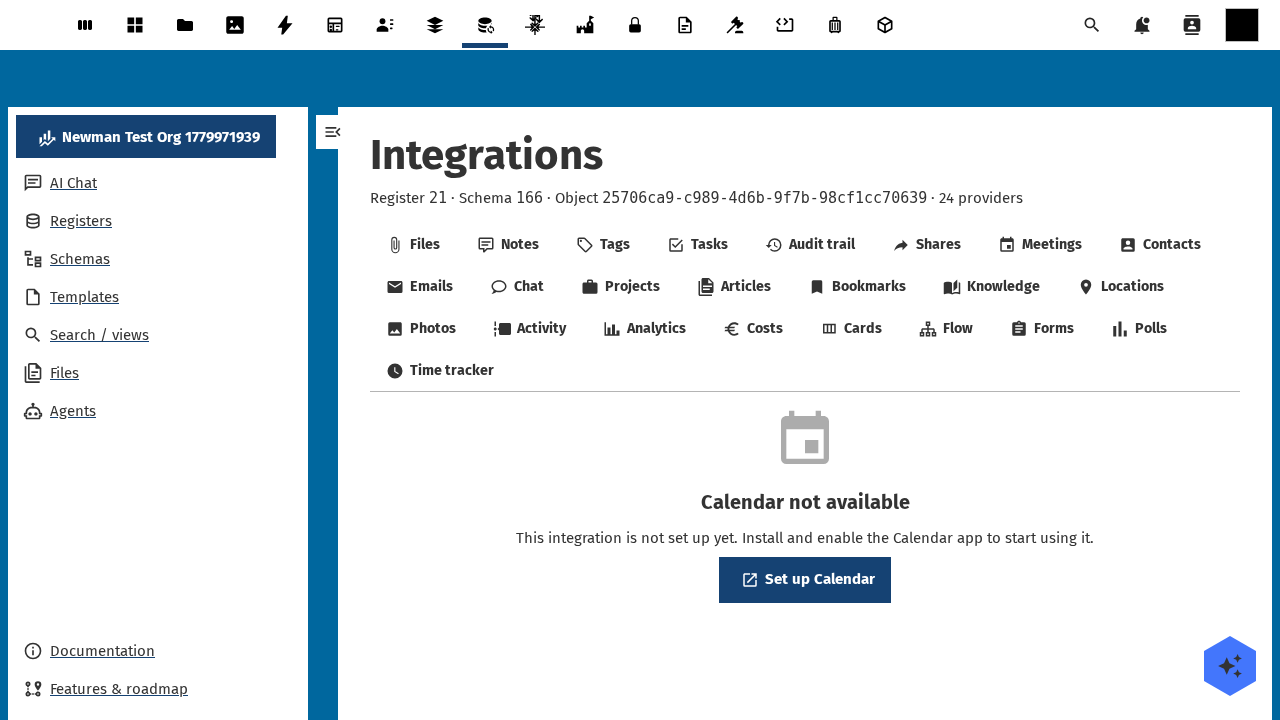
Captured by tests/e2e/leaf-screenshots.spec.ts against the seeded integration-verification register on the dev container. Empty state (Nothing linked yet) is expected on a freshly seeded object — link an upstream entity from the tab's + Add affordance to populate it.
What it does
- Lists VEVENTs linked to each Open Register object on the Meetings sidebar tab.
- Lets users create a new meeting straight from the object (date, time, summary, location, attendees).
- Lets users link an existing VEVENT by id or by pasting its iCal URL.
- Lets users unlink a meeting. The VEVENT stays in NC Calendar; only the
X-OPENREGISTER-*properties are removed. - Resolves a
referenceType: 'calendar'schema property to a single-entity chip with date and summary.
Setup
1. Install NC Calendar
Install the calendar Nextcloud app. Without it, the Meetings tab stays hidden and the OCS capabilities mark the leaf enabled: false.
2. Make sure each user has a calendar
CalDAV creates a personal calendar automatically on first use. If a user has none, the Meetings tab shows the empty state and offers a "Create a calendar" link to NC Calendar.
3. Use it on an object
Open any object whose schema declares linkedTypes: ['calendar']. The Meetings tab appears in the sidebar.
- Add a meeting — fill the inline form (date picker, time, summary, optional location). The new VEVENT lands on the user's first VEVENT-supporting calendar.
- Link an existing VEVENT — paste the meeting id (the CalDAV
calendarId/eventUripair) or its URL. The integration addsX-OPENREGISTER-*properties to the VEVENT so reverse lookup works from NC Calendar too. - Open in Calendar — every row links out to NC Calendar's detail view for the meeting.
Configuration
| Field | Open Register side | NC Calendar side |
|---|---|---|
| Storage | link-table (logically) — actual link via VEVENT properties | CalDAV custom properties |
| Mapping | X-OPENREGISTER-REGISTER, X-OPENREGISTER-SCHEMA, X-OPENREGISTER-OBJECT | iCalendar 5545 |
| Refresh | Per render (CalDAV is real-time) | — |
| Auth | None (uses session) | NC's CalDAV backend |
| Permissions | Inherits from object RBAC | User owns their calendar |
What gets stored on the VEVENT
BEGIN:VEVENT
UID:9F4A...
SUMMARY:Weekly governance sync
DTSTART:20260520T100000Z
DTEND:20260520T103000Z
LINK;LINKREL="related";LABEL="Open governance body":/apps/openregister/api/objects/...
X-OPENREGISTER-REGISTER:18
X-OPENREGISTER-SCHEMA:145
X-OPENREGISTER-OBJECT:e9e3cdeb-0c7d-4326-a57e-09907d9e06b7
END:VEVENT
The RFC 9253 LINK property is set so CalDAV clients that respect it can open the linked object straight from the meeting. The X-OPENREGISTER-* properties drive the reverse lookup ("which meetings are linked to this object").
Using it
Meetings sidebar tab
The tab lists linked VEVENTs ordered by start date ascending. Each row shows summary, date, time, and an open-in-NC-Calendar anchor. An inline "Add meeting" form sits at the top of the list. The unlink button removes the X-OPENREGISTER-* properties only; the VEVENT itself stays.
Detail-page widget
Surfaces this object's meetings plus a "Add meeting" CTA. The same data the tab uses, in a card.
Dashboard widgets
user-dashboard— next 5 upcoming meetings across every linked object you own.app-dashboard— meetings scoped to the consuming app's register/schema.
Reference property
A schema property typed as { "type": "string", "referenceType": "calendar" } renders the linked meeting's date + summary chip in CnFormDialog and CnDetailGrid.
Troubleshooting
- No meetings appear after linking. The user has no VEVENT-supporting personal calendar yet. Open NC Calendar at least once to create one.
- "Calendar event not found" error on unlink. The CalDAV event has been deleted from NC Calendar already. The link is stale; refresh the tab.
- Attendees not invited. The integration writes attendees as
ATTENDEElines on the VEVENT, but does not send invitation mail. NC Calendar handles invites; check Calendar's mail settings. - Tab is missing. Either NC Calendar isn't installed or the object's schema does not declare
linkedTypes: ['calendar']. Check both.
Related
- Leaf integration system — how every leaf wires the same way.
- Contacts leaf — link contacts to the same objects; meetings and contacts often pair up.
- Email leaf — link NC Mail messages, including meeting invitations.
- Pluggable integration registry — the full ADR-019 contract.